Fraction ERP Mobile iOS and Android

ERP that goes wherever your team does

ERP has traditionally been desk-bound. Manufacturing and operations are not. Work happens on the shop floor, in the warehouse, out in the field and between sites — and that is where people need accurate information and the ability to act.

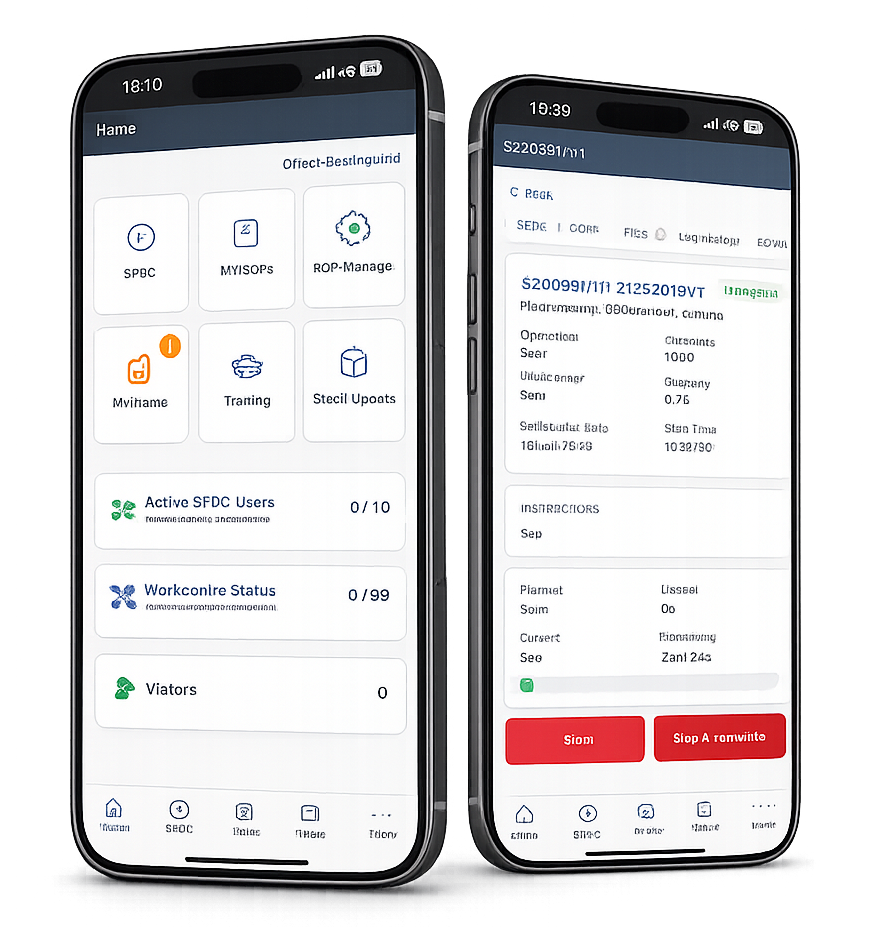
Fraction ERP Mobile home and job tracking screens displayed on two smartphones

Real ERP actions, right from your phone

Fraction ERP Mobile is not a separate reporting dashboard. It brings practical ERP workflows to the people closest to the stock, job or process.

01

Inventory checks

Live stock answers without the walk back

Scan a barcode, open the part record and see current and free stock while you are standing in front of the item. There is no need to return to a terminal or ask someone in the office to check.

What it achieves: quicker stock decisions with fewer interruptions and less reliance on memory.
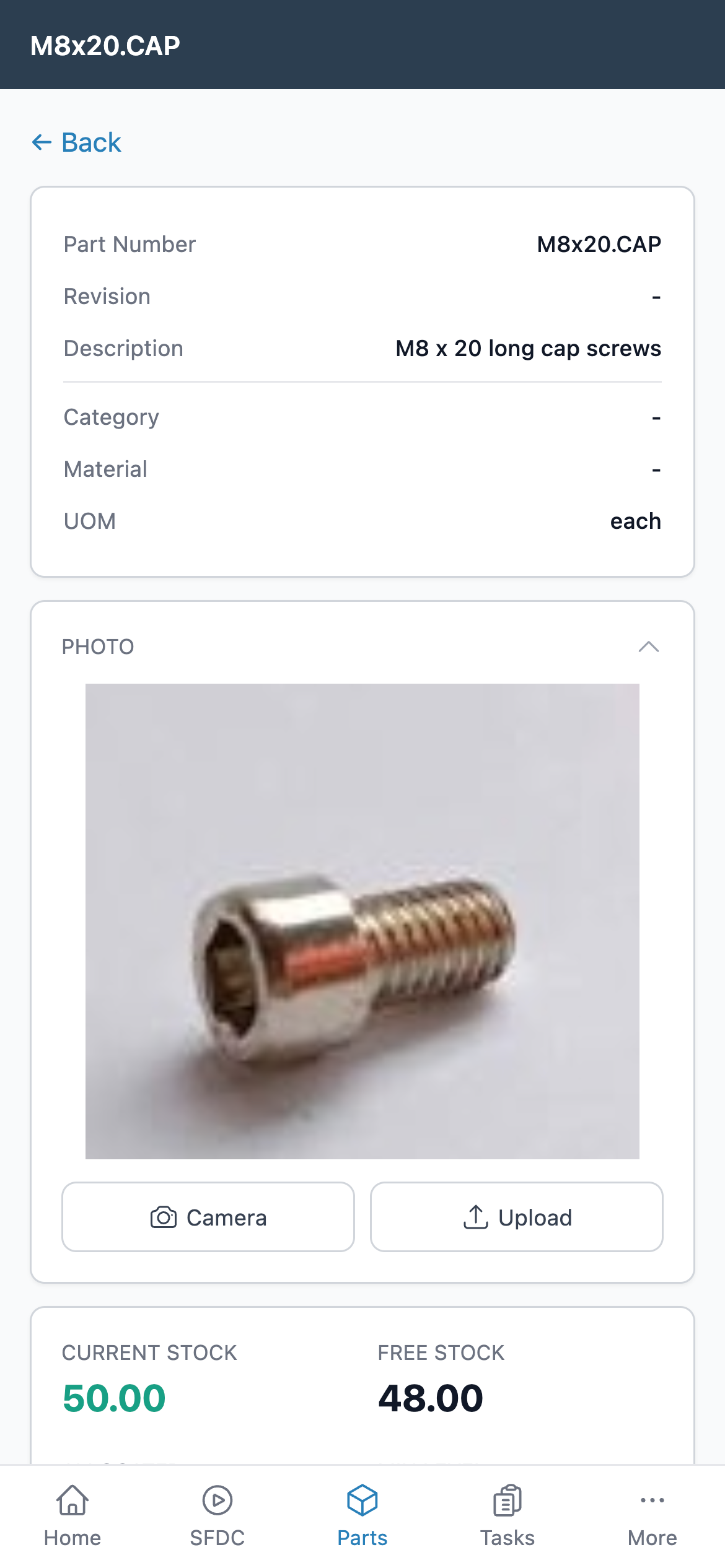
Fraction ERP Mobile part record showing item details, photograph and live stock levels
Part details and live stock availability at the point of use.
02

Shop floor data capture

Log production as it happens

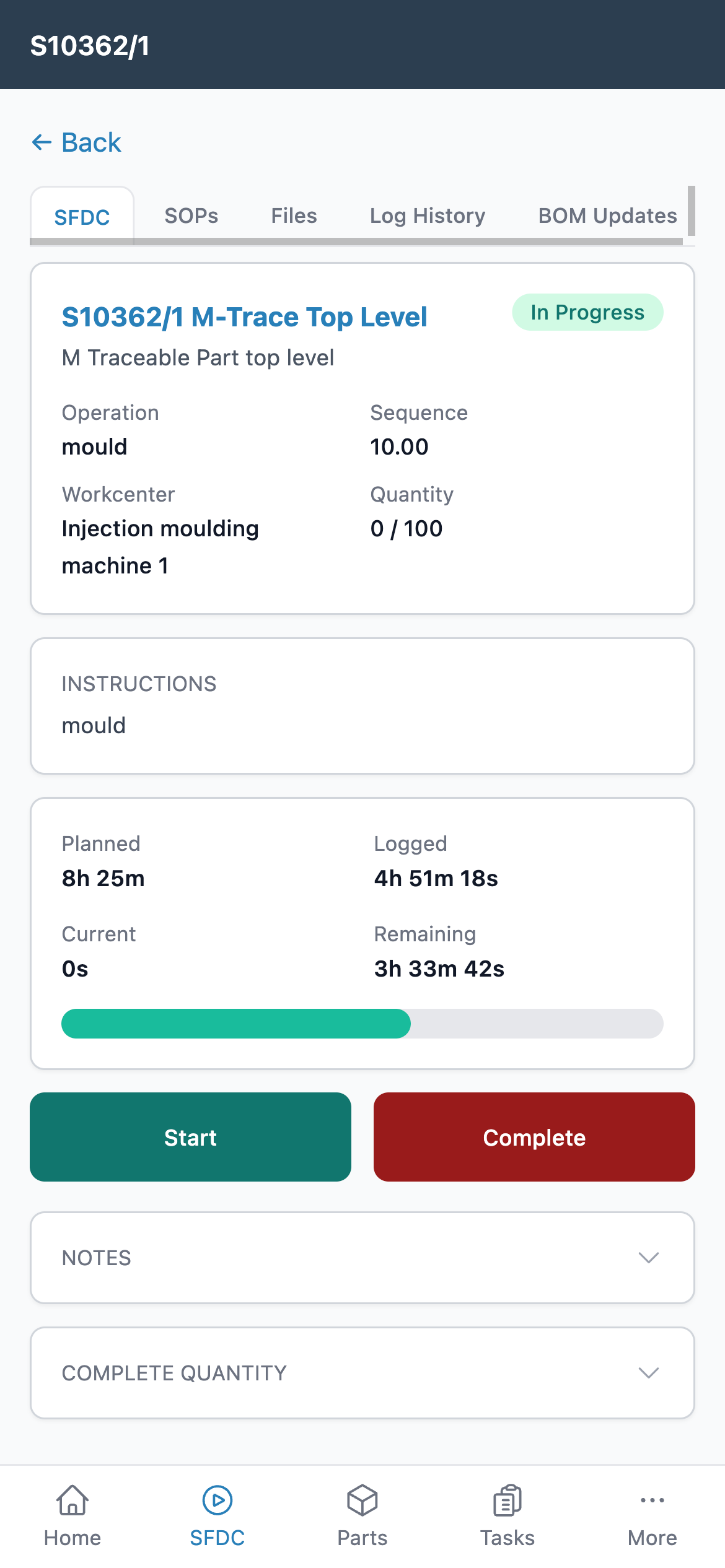
Scan route cards, clock onto jobs or record non-productive time from the shop floor. Operators can see the operation, planned time, progress and remaining work before recording the next update.

What it achieves: timely production data without paper timesheets or end-of-shift re-keying.

Fraction ERP Mobile SFDC screen showing an in-progress manufacturing operation and time logged
Clock onto work, record progress and complete operations from the floor.
03

SOP manager and My SOPs

Capture the real process, then keep it current

Write SOPs while watching the job, take photographs and add notes as the process is performed. That produces practical instructions based on what actually happens, rather than a procedure reconstructed later from memory.

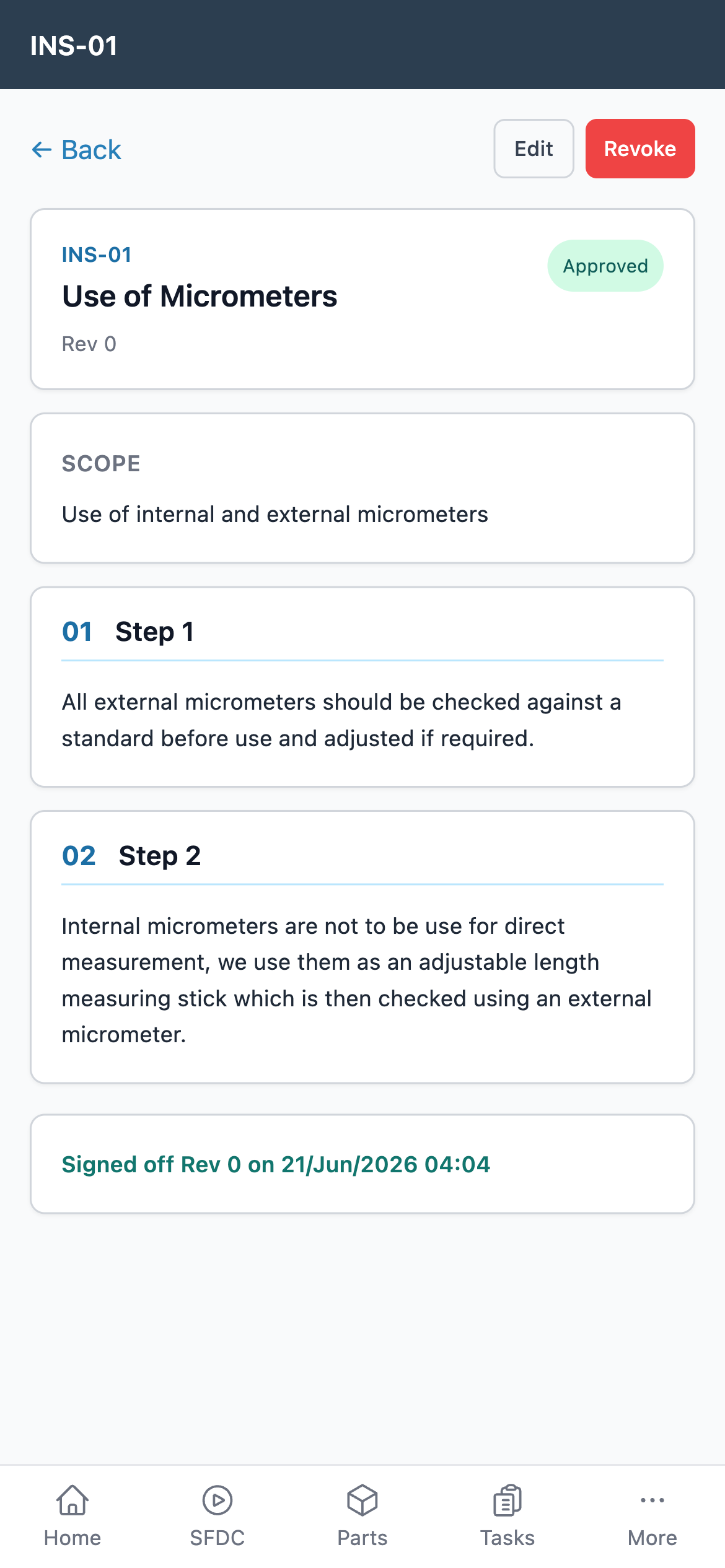
My SOPs keeps reviews visible. When a procedure is new or updated, each user can see the SOPs awaiting their review and sign-off.

What it achieves: usable standard work, clearer revision control and a visible record of user acknowledgement.

Fraction ERP Mobile approved SOP showing controlled steps and user sign-off
A controlled SOP with revision status, steps and sign-off history.
04

Live production status

See progress without stopping production to ask

Check which workcentres are active, review job progress and see the live production picture from wherever you are. Supervisors and managers get the answer without interrupting the person doing the work.

What it achieves: faster production decisions and fewer status-chasing conversations across the factory.

Fraction ERP Mobile workcentre status showing active and inactive production areas
Live workcentre status makes active production visible at a glance.

Task management travels with the record

Create and update actions connected to sales, CRM, purchasing, maintenance, quality and other ERP records. Add photographs, assign an owner and keep the operational context with the task.

Explore ERP task management

Not “ERP, but on a smaller screen”

The value comes from shortening the distance between an event, the information it creates and the decision someone needs to make.

Faster decisions

Data, reviews and sign-offs happen in the moment instead of waiting until someone returns to a desk.

Fewer bottlenecks

Work does not have to queue behind one person, one office or one shared terminal before it can move forward.

More accurate data

Recording stock, time, photographs and issues at the point of occurrence reduces transcription errors and delay.

Direct access for operational roles

Shop-floor, warehouse and field teams can work with the system without needing a permanent desktop setup.

Useful across the operation

Each person gets a practical way to view or update the information that matters to their role.

Production supervisors

Check active work, review progress and resolve issues without returning to the production office.

Warehouse and inventory teams

Look up parts and confirm stock where items are stored, received, picked or consumed.

Field and delivery teams

Stay connected to ERP records while working between sites, at a customer location or away from the main office.

Managers and executives

See operational status and keep decisions moving when meetings, travel or site visits take them away from a desk.

Mobile access without creating a second system

The app works with the same connected Fraction ERP environment, so mobile activity stays part of the operational record instead of becoming another set of notes to reconcile.

See user permissions and access controls

Controlled access

User roles and module-level permissions control which parts of Fraction ERP each person can access.

Encrypted cloud connection

Connections use industry-standard encryption, with Fraction ERP hosted on Google Cloud servers in the UK.

One live data set

Mobile updates feed the same real-time ERP records used by office, planning and management teams.

Backups and connectivity

Fraction ERP data is backed up automatically each day. The mobile app requires an active internet or mobile-data connection; offline mode is not supported.

What ERP buyers usually want to know

Is this a separate system from Fraction ERP?

No. The mobile app provides access to connected Fraction ERP workflows and records, so teams are not maintaining a second source of data.

Which phones are supported?

Fraction ERP Mobile is available for iOS and Android devices.

Can every user see every module?

No. User roles and module permissions let administrators control access according to each person's responsibilities.

Does the app work offline?

The workflows shown on this page use live ERP data and require a network connection. Discuss connectivity requirements for your shop floor or field locations during your demo.

See Fraction ERP Mobile in action

We will show how the app fits around your stock, production, SOP and task workflows — not a generic software tour.

Book a Demo

Download the app