Multi-factor authentication (MFA)
Add an extra layer of protection when signing in through a web browser or the iOS and Android apps. MFA is included with every Fraction ERP plan.

Control who can access each part of your ERP, who can approve key records and how shop floor users interact with production data.
Practical tools for running manufacturing workflows without disconnected spreadsheets or duplicate data entry.
Add an extra layer of protection when signing in through a web browser or the iOS and Android apps. MFA is included with every Fraction ERP plan.
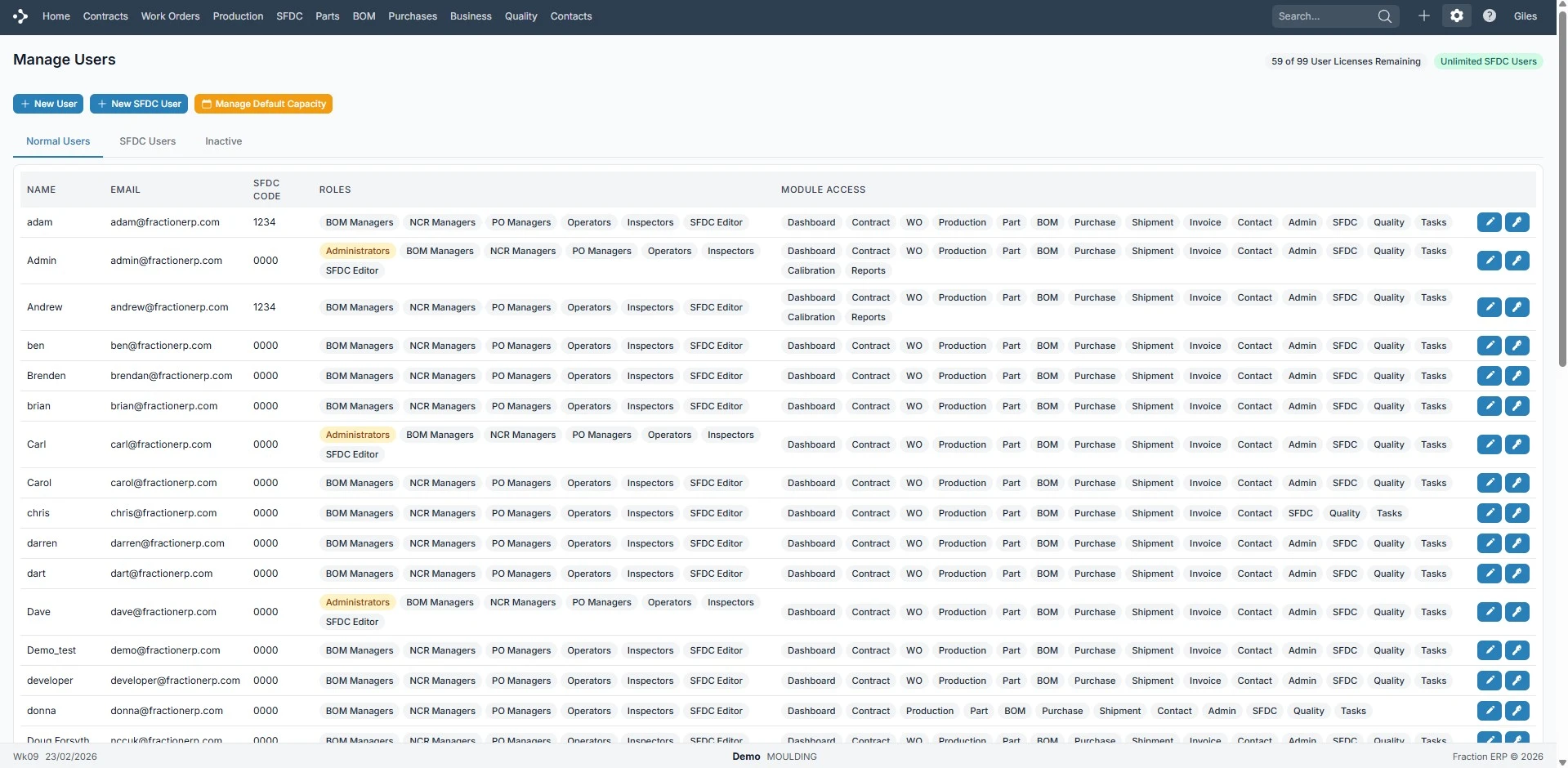
Add and manage users as your business changes without losing permission control.
Choose which modules each user can access with clear role-based settings.
Set who can approve BOMs, purchase orders and spending decisions.
Give operators the access they need without exposing broader ERP administration.
Watch a short walkthrough of how this workflow works in practice.
A closer look at the screens your team will use day to day.
Manage users in one place.
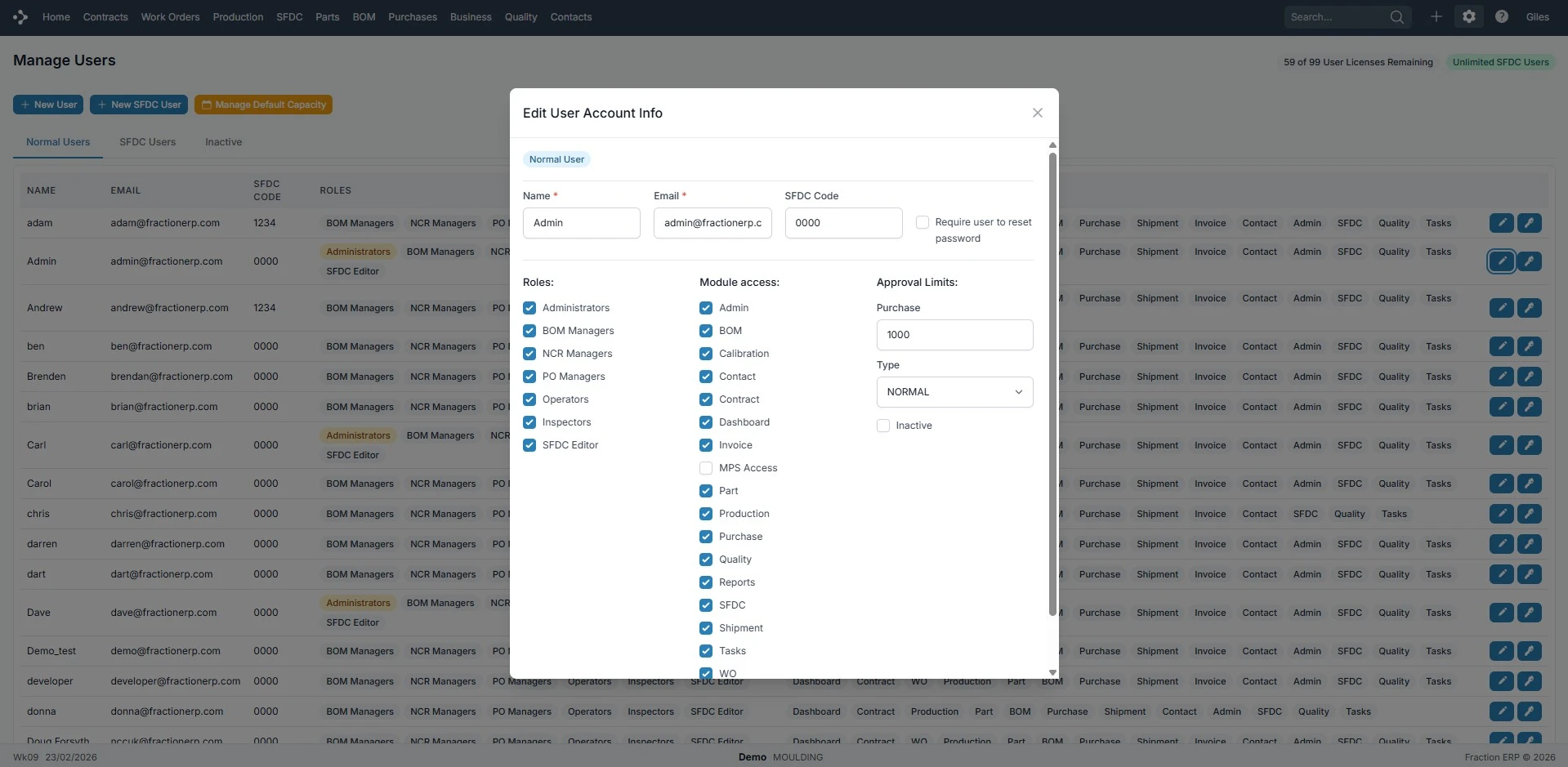
Set module and role access.
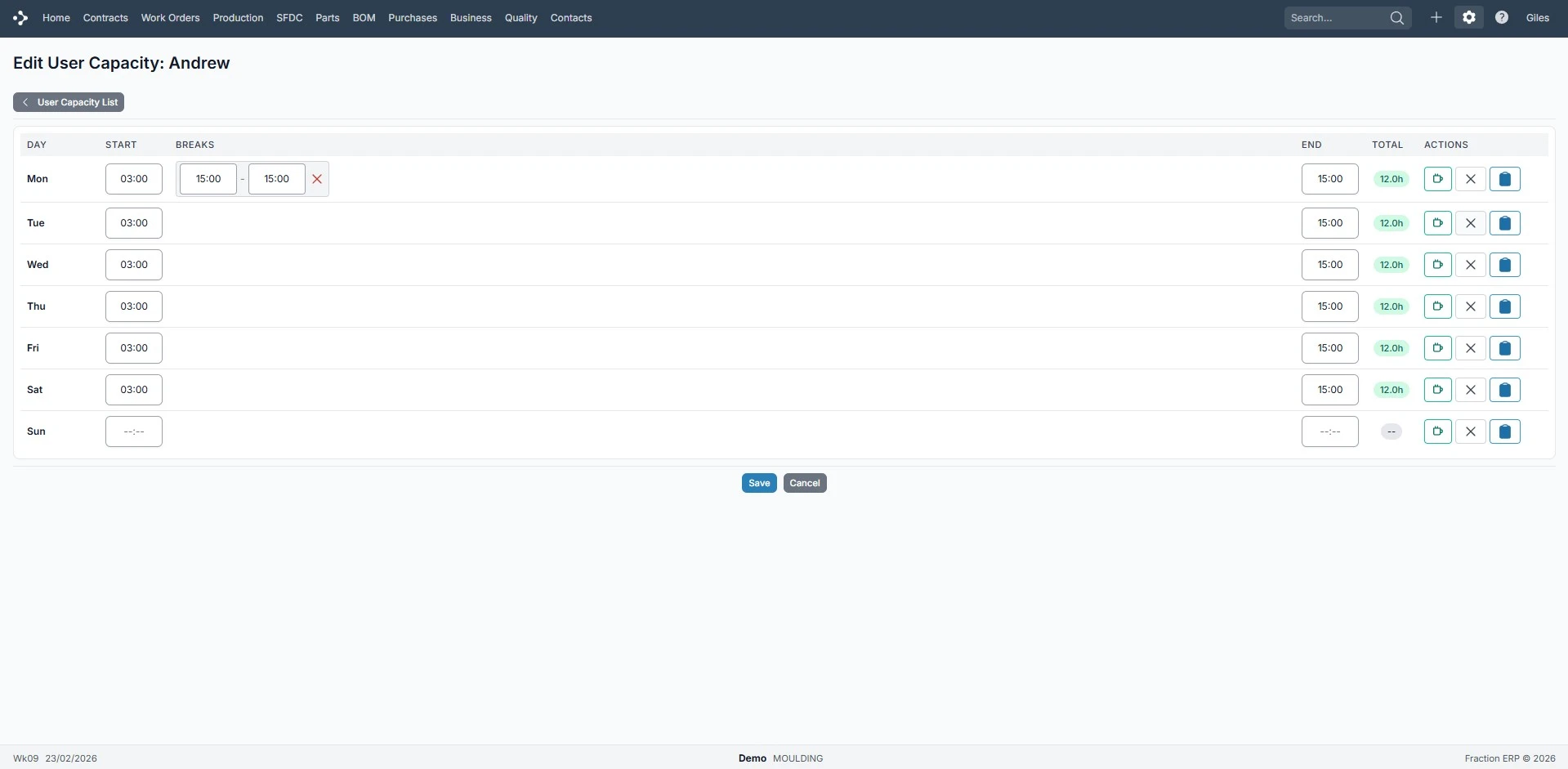
Plan capacity for key users.
Role-based permissions, module-level access and unlimited free shop floor users in Fraction ERP.