Manage production demand
See what needs to be made, when it is due and which jobs need attention.

Plan, release and track production orders from demand through completion, whether you build to customer order or replenish stock.
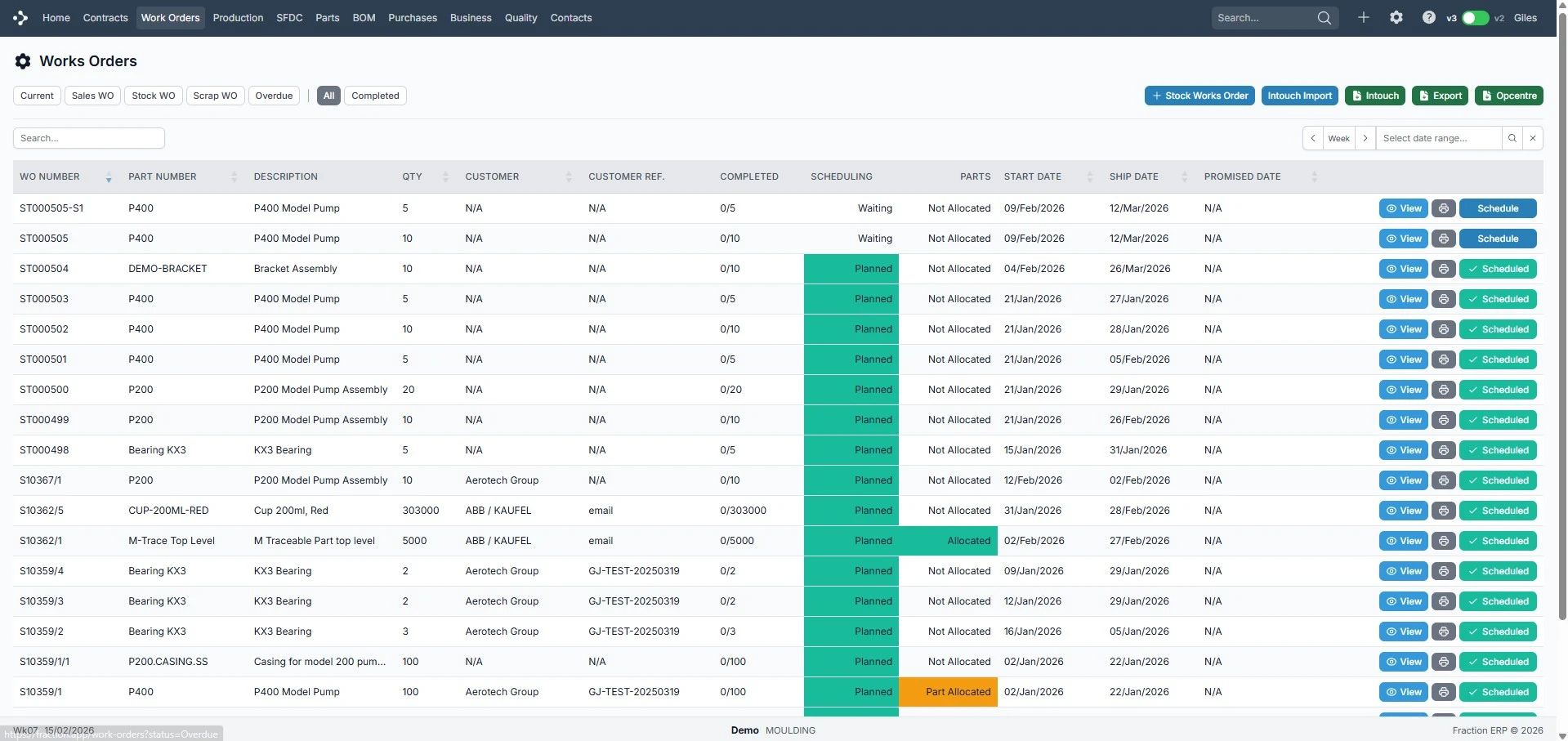
Practical tools for running manufacturing workflows without disconnected spreadsheets or duplicate data entry.
See what needs to be made, when it is due and which jobs need attention.
Move orders through planning, production and completion with clear status visibility.
Adjust quantities, dates, files and operations when production changes mid-flow.
Run digitally on the shop floor or print travellers when paper still fits the process.
Watch a short walkthrough of how this workflow works in practice.
A closer look at the screens your team will use day to day.
Control all production orders in one place.
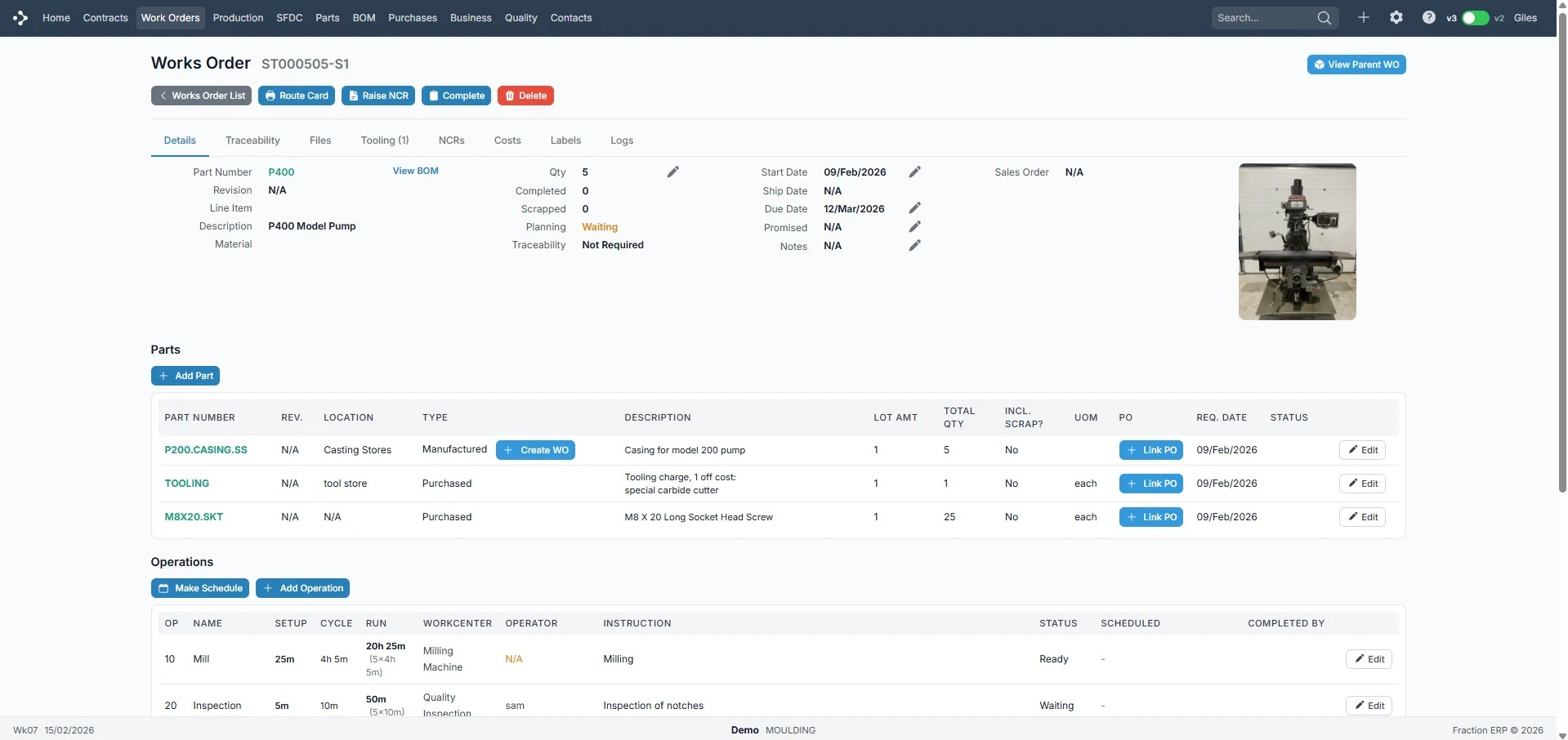
Review quantities, dates and linked records.
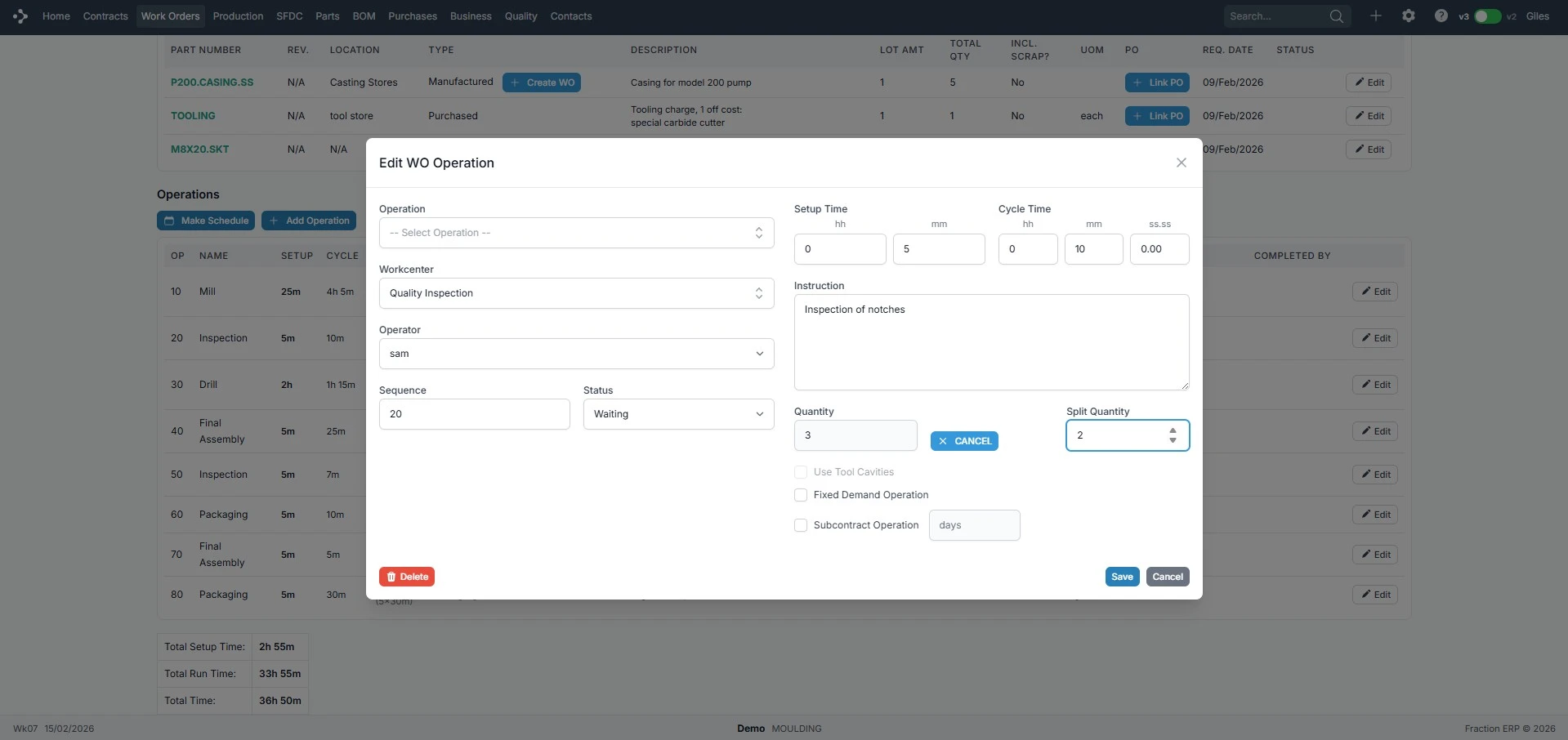
Adjust operations and instructions.
Make-to-order or make-to-stock: create production orders, track status and keep linked records together.