Plan around capacity
Understand workcentre loading and make scheduling decisions with live production data.

Schedule production with clearer visibility of capacity, priorities and dates, using automatic planning and drag-and-drop control.
Practical tools for running manufacturing workflows without disconnected spreadsheets or duplicate data entry.
Understand workcentre loading and make scheduling decisions with live production data.
Move work visually when priorities change and keep the schedule understandable.
Schedule from the same works order data your production team already uses.
Use clearer production dates to support customer promises and internal planning.
Watch a short walkthrough of how this workflow works in practice.
A closer look at the screens your team will use day to day.
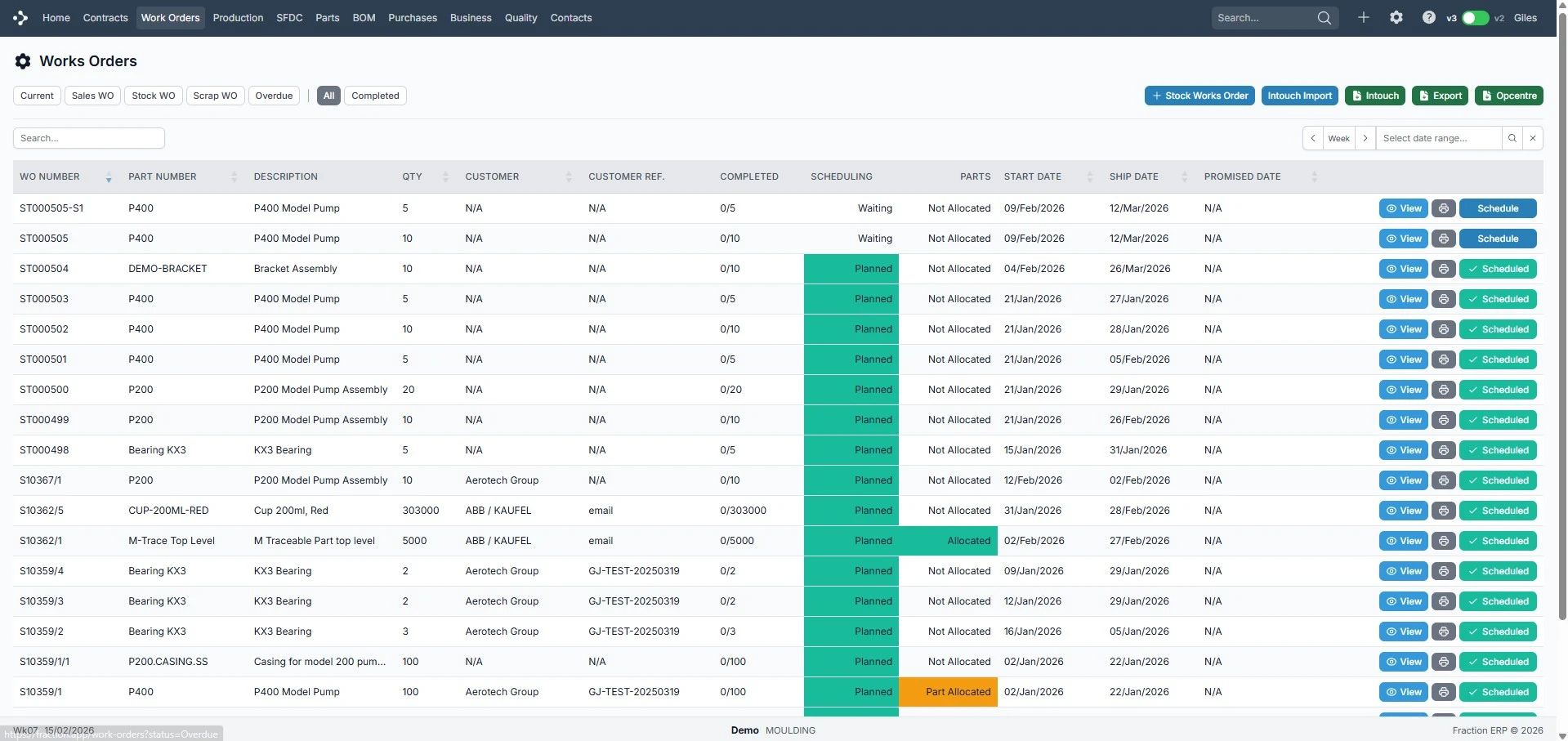
See production demand ready to schedule.
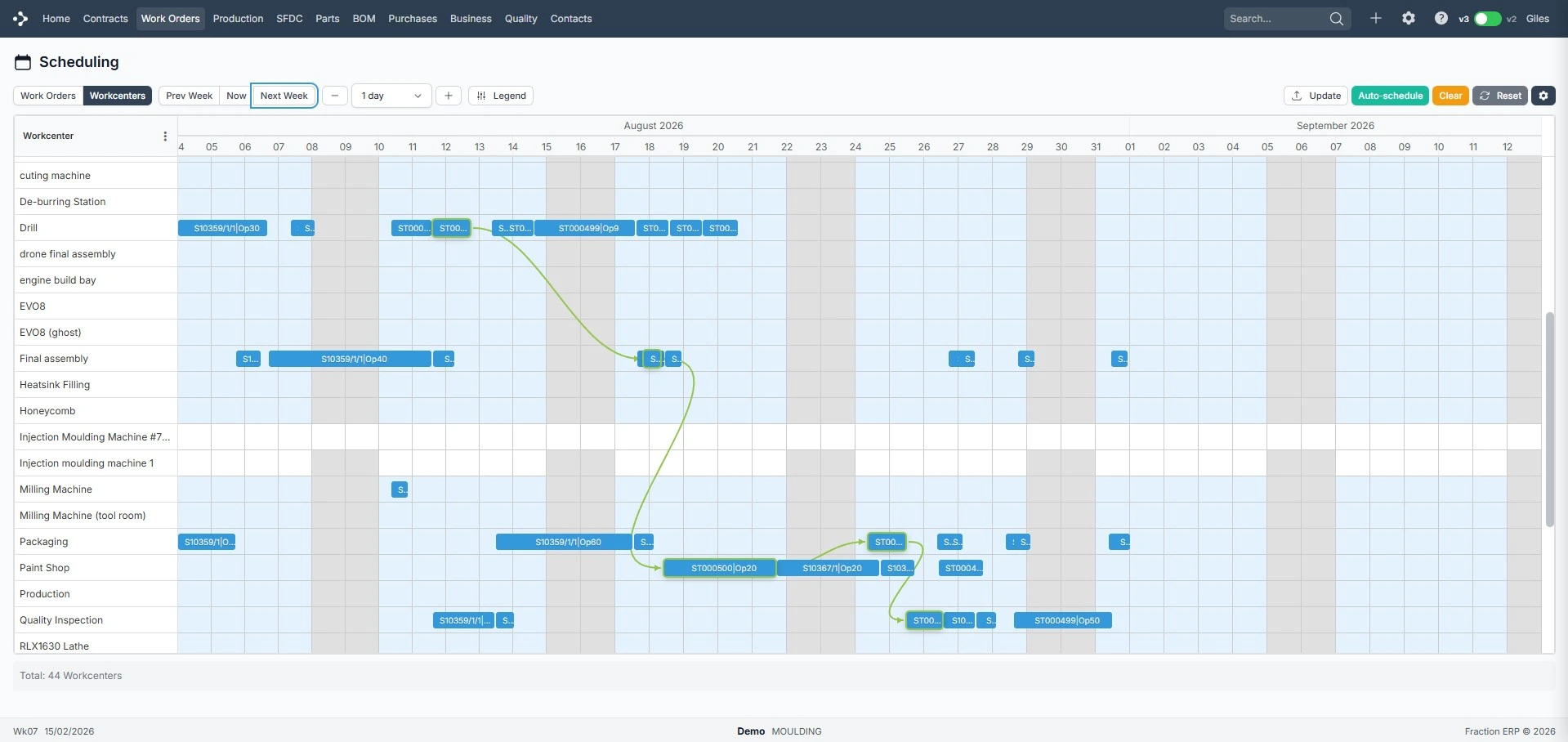
Plan work visually across capacity.
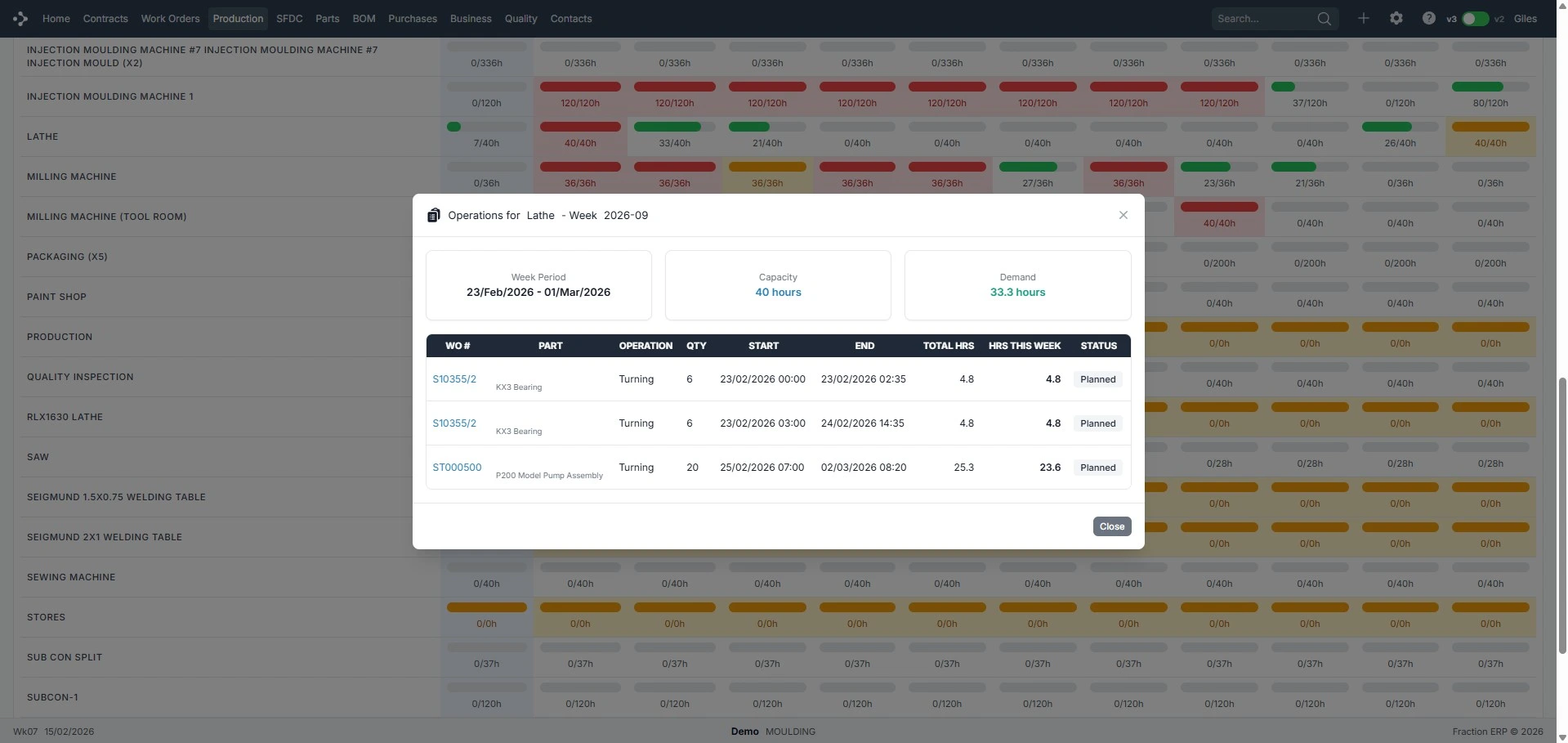
Review loading by workcentre.
Use works order demand, workcentre loading and drag-and-drop changes to keep the schedule current.