
How to Help Shape the Fraction ERP Roadmap
Who this is for: This article is for people using Fraction ERP who have an idea for improving the product, as well as those who are new to ERP systems and considering how the software should fit their business. It is most relevant when you have started working with the system, noticed something you would like to change, and are deciding whether to request a feature or revisit one of your existing processes.
Your Ideas Can Become Part of the Roadmap
What happens when a customer has a good idea for Fraction ERP? They can submit it as a feature request. Customers can use the support section of the web app to suggest something that would improve the product or make it easier to use. The ideas submitted through the app are reviewed, and those that make sense for the product may be taken into the roadmap.
That means the roadmap is not separate from the people using the system. If you encounter a task that could be easier, or think of a useful addition, you have a way to put that idea forward. The feature-request option is there for our customers to use. Submitting an idea gives it an opportunity to be considered, though it does not mean every suggestion will be added.
How to Request a New Feature
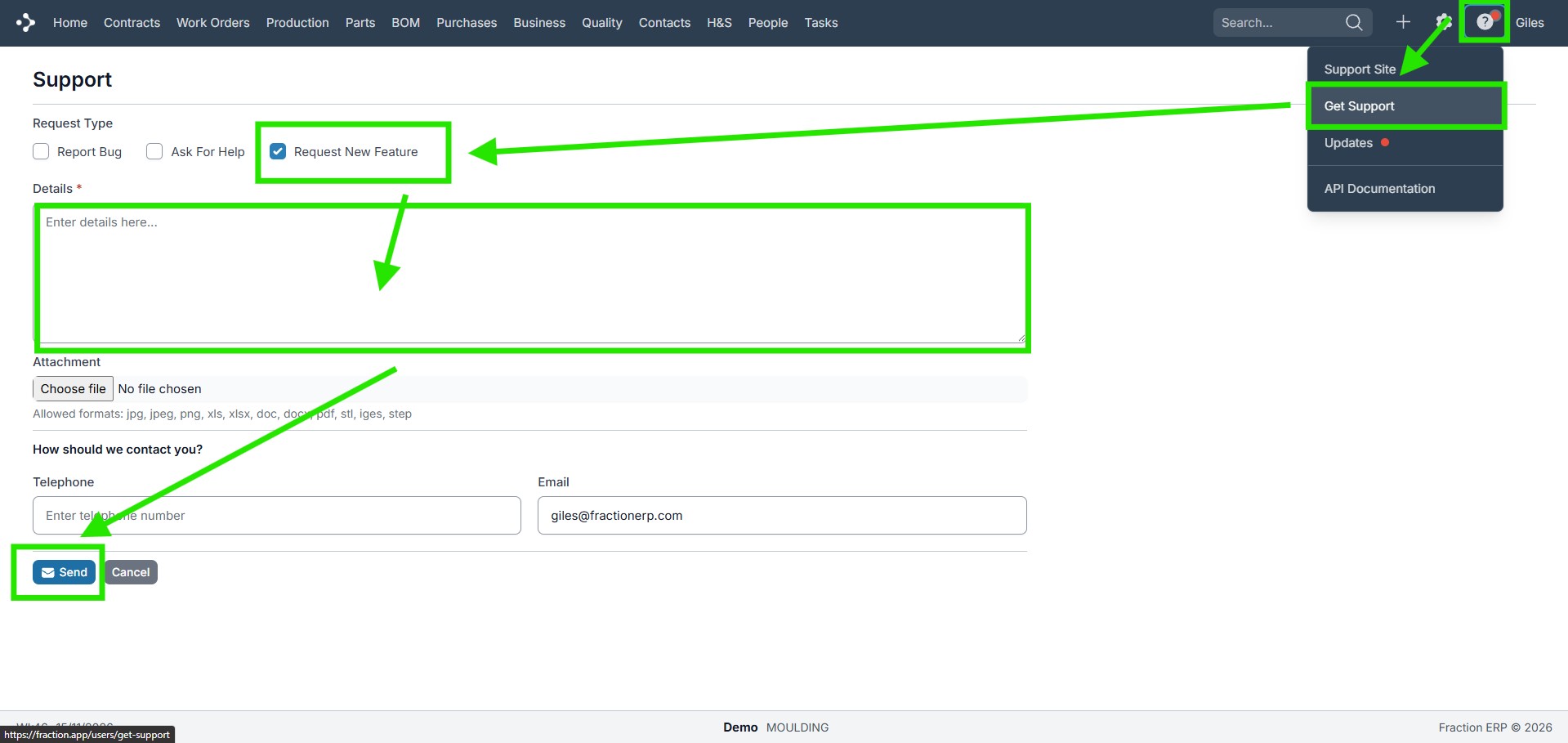
To submit an idea, go to the support section of the Fraction ERP web app. Choose “Request a New Feature” as the request type, then send in your suggestion. This is the route for putting a potential product improvement forward for review.
Some improvements may move quickly. If a feature makes particular sense for users across the product, the turnaround could be a matter of days. Once a new feature is released, users can benefit from it. That possibility is worth keeping in mind when you spot an improvement that could help others as well as your own business. It is a possibility, however, rather than a promised timescale for every request.
Before You Request a Change, Look at the Workflow
There is an important distinction between improving the product and making an ERP system reproduce every step of an existing business process. For people new to ERP, it can be tempting to ask the system to work exactly as the business already does. Before requesting a feature for that reason, take time to look at the workflows already built into Fraction ERP.
Then evaluate your own processes alongside them. Which of your current ways of working still make sense? Which might need to change to fit the best practices we’ve built into our ERP system? Considering those questions first can help you decide whether the right next step is to adapt a process or propose a product change.
Be Part of What Comes Next
If, after reviewing the workflow, you still have an idea that would make Fraction ERP better, submit it through the web app’s support section. Customer suggestions are reviewed, and ideas that make sense for the product can become part of its roadmap. It is a straightforward way to take part in the product’s development—and make everyone’s working lives easier!